Arduino
Uno, Nano, Mega, ESP8266, and ESP32 boards run your C++ sketches, with the libraries you already use: Servo, NeoPixel, SPI, EEPROM, DHT, Keypad, and Adafruit’s SSD1306 and GFX.

Design analog and digital circuits from more than 300 components, measure them with a built-in multimeter and oscilloscope, and program the microcontrollers that run them. Everything simulates live while you work.


Use iCircuit like a CAD tool: add components, wire them up, and set their values. But it never stops simulating. There’s no run button and no report to configure. You play with the circuit with the power on.
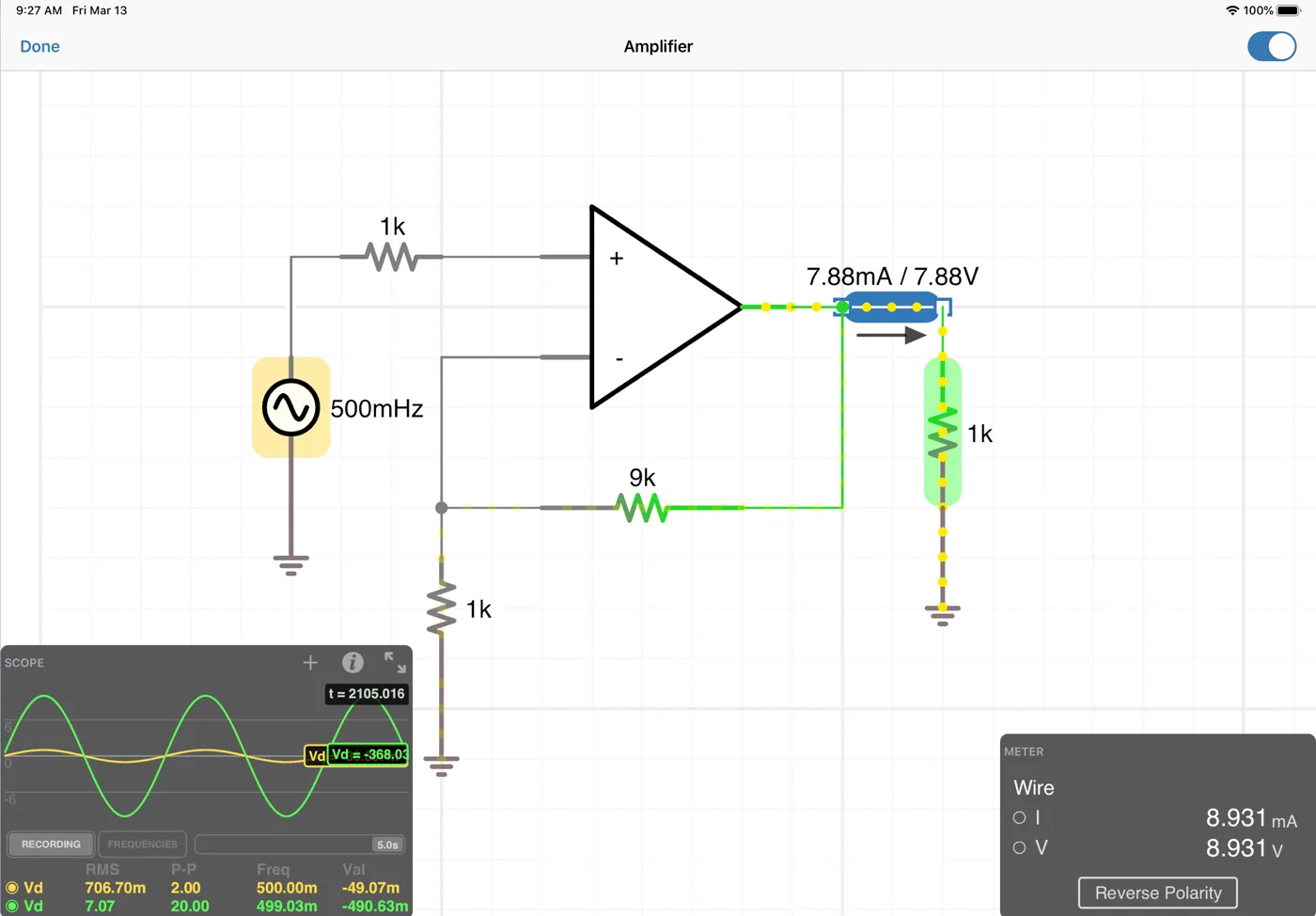
Every circuit comes with the instruments to understand it. Nothing extra to buy, nothing to wire up.


From resistors to vacuum tubes to NeoPixels, with 60 4000‑ and 7400‑series logic ICs built in and 180+ with iCircuit Pro.


Resistors, potentiometers, capacitors, inductors, transformers, crystals, and memristors.


Diodes, varactors, BJTs, MOSFETs, op‑amps, SCRs, diacs, triacs, optocouplers, triodes, and tetrodes.


DC and AC sources, 78xx and LM317 regulators, power and barrel jacks, and H‑bridges.


Gates, flip-flops, counters, 555 timers, EEPROMs, ADCs and DACs, and 4000‑ and 7400‑series ICs.


LEDs, RGB LEDs, lamps, 7‑segment displays, bar graphs, LED matrices, NeoPixels, and OLEDs.


Light, temperature, humidity, pressure, strain, and motion sensors, including the DHT22 and MPU6050.


DC, AC, and servo motors, relays, switches, push buttons, and keypads.


AM and FM antennas, transmission lines, speakers, buzzers, microphones, and audio jacks. Audio isn’t available on Windows yet.
Microcontrollers in iCircuit aren’t a separate simulator bolted on. Their pins are part of the same solver as every resistor and capacitor, so a PWM pin really drives your RC filter and a potentiometer really sets what the ADC reads.
Uno, Nano, Mega, ESP8266, and ESP32 boards run your C++ sketches, with the libraries you already use: Servo, NeoPixel, SPI, EEPROM, DHT, Keypad, and Adafruit’s SSD1306 and GFX.
New in 1.16
iCircuit emulates the RP2040 and RP2350 chips themselves and boots the stock MicroPython or CircuitPython firmware. Your code runs on the real interpreter, with GPIO, PWM, ADC, I2C, SPI, UART, and even PIO, right down to the tracebacks.
Program PIC microcontrollers, including the PIC16F877A with SPI and I2C, in assembly or with HEX files.
Write your own chips in an Arduino-like language, draw their faces, and share them in the iCircuit Gallery.
Go beyond the built-in parts with the same formats engineers use every day.
New in 1.16
Paste a manufacturer’s .SUBCKT with its .MODEL cards and it becomes a part you wire up like any other. BJTs, MOSFETs, diodes, dependent sources, coupled inductors, nested and parameterized subcircuits, and .INCLUDE are all supported.
New in 1.16
Write synthesizable Verilog or VHDL in the HDL element. Its ports become pins you can wire to LEDs, switches, clocks, and microcontrollers, and combinational loops are caught at compile time.
Turn any circuit into a reusable part with its own pins, and build big designs out of small ones.
Plot math on the scope, like the difference between two signals, and set a resistor’s value with an expression.
The only native mobile app with SPICE, Verilog, VHDL, and MicroPython simulation.
Ohm’s law, transients, transistors, logic, and microcontrollers in one app, with nothing to burn out. Schools get Apple’s education discount when they buy in volume.
Try your Arduino or Pico project before you solder: the circuit, the code, and the parts, all together and all live.
Sanity-check an idea with vendor SPICE models, HDL glue logic, and live measurements, wherever you are.
Buy iCircuit once and it’s yours, with free updates. iCircuit Pro is an optional subscription on iPhone, iPad, and Mac for power users and anyone who wants to support development.
iPhone, iPad, Mac, Windows, and Android. The new 1.16 features (Raspberry Pi Pico, SPICE subcircuits, and Verilog and VHDL) are available now on iPhone, iPad, and Mac. Audio isn’t available on Windows yet.
iCircuit is a one-time purchase with free updates. Prices vary by store and country, and each store page shows the current price. iCircuit Pro is an optional subscription on iPhone, iPad, and Mac.
iCircuit Pro is an optional subscription on iPhone, iPad, and Mac for power users and anyone who wants to support development. It adds extra components, including more PIC microcontrollers and a library of 180+ 4000‑ and 7400‑series ICs. Everything else in iCircuit works without it.
The Windows version has a free trial in the Microsoft Store. The App Store and Google Play don’t offer trials for paid apps. If you’d like a second opinion first, the Mac version is rated 4.7 stars on the Mac App Store.
Yes. Import SPICE subcircuits with their .MODEL cards and use them as components, or write synthesizable Verilog or VHDL in the HDL element and wire it to the rest of your circuit.
Yes. Arduino Uno, Nano, Mega, ESP8266, and ESP32 boards run C++ sketches. Raspberry Pi Pico and Pico 2 boards boot the real MicroPython or CircuitPython firmware and run your Python as is. PIC microcontrollers run assembly and HEX files.
Yes. Schools get Apple’s education discount when they buy iCircuit in volume through Apple School Manager. See how to buy apps in Apple School Manager.
Yes. iCircuit files open on every platform, and you can share circuits through the iCircuit Gallery or by email.
No. Everything simulates on your device, and you don’t need an account to use the app.